
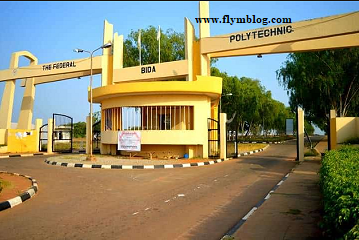
Federal Polytechnic Bida 2025/2026 – Getting admitted into Federal Polytechnic Bida (BIDAPOLY) is an exciting milestone, but completing your registration correctly is what officially seals your place at the institution. The management of Federal Polytechnic Bida has published the detailed registration and documentation process for all newly admitted students in the 2025/2026 academic session.
Whether you’ve been offered admission into the National Diploma (ND) or Higher National Diploma (HND) programme, this comprehensive guide walks you through everything, from checking your admission status to completing your online clearance and physical documentation.
If this is your first time handling registration procedures, don’t panic. Follow the step-by-step instructions below to avoid costly mistakes and make your transition into the new academic session smooth and stress-free.
Step 1: Confirming Your Admission and Accessing the Student Portal
The first thing every new student must do is verify their admission and obtain login credentials for the BIDAPOLY ePortal.
- Visit the official Federal Polytechnic Bida Portal using a secure device and a strong internet connection.
- Click on the link titled “2025/2026 Admission Status and Registration Procedure.”
- Enter the email address you used during your application process.
- On the login page, select “Request for New Password.”
- Provide your Student ID or Registration Number and click “Request for Password.”
- Check your email inbox or spam folder for the newly generated password.
- Return to the portal, log in with your Student ID and new password, and access your dashboard.
Once you’re logged in successfully, download and print your admission letter. Make sure to update all personal details such as phone number, home address, and next of kin. You’ll also be required to upload a passport photograph and signature in the appropriate format.
Step 2: Payment of Acceptance Fee
The acceptance fee officially confirms that you’ve accepted the offer of admission. Without this payment, your admission cannot be validated.
After completing your profile update on the portal, an option to pay your acceptance fee will appear automatically.
To make the payment:
- Click on “Pay” and follow the on-screen instructions.
- You can pay via debit/credit card, mobile money, bank transfer, QR code, or USSD.
- Once payment is successful, download and print your payment receipt immediately; you’ll need it later for clearance.
It’s important to complete this payment within two weeks of receiving your admission offer. Failure to pay on time may lead to forfeiture of your admission slot.
Step 3: Proceeding with Online Clearance
Once you’ve paid your acceptance fee, the next phase is online clearance, the verification of your academic records and personal data.
Here’s what to do:
- Log back into the ePortal.
- Navigate to “Student Data” → “Academic Records.”
- Select “Add Academic Record.”
- Enter details of your O’Level results (WAEC, NECO, or NABTEB) correctly.
- Upload scanned copies of your credentials and relevant documents.
- Click “Submit Now” and wait for your clearance to be processed.
Usually, approval is granted within 24 hours if your documents are in order. After clearance, the system will enable the option for registration fee payment and automatically generate your Matriculation Number once payment is confirmed.
You can then proceed to fill out your Medical Form and Course Registration Form online.
Remember: every new student must complete both clearance and registration within four weeks of receiving their admission letter. Missing the deadline may delay your academic activities or affect your eligibility for hostel accommodation.
Step 4: Required Documents for Verification and Submission
After completing the online process, physical documentation is mandatory. You’ll need to submit copies of essential documents to the Registry Department for record verification.
Below is the list of items to prepare:
- Copies of all academic credentials (original and photocopies).
- Two recent passport-sized photographs with a white background.
- Local Government Certificate of Origin or Indigene Certificate.
- Letter of good conduct or attestation from your parent, guardian, or sponsor.
- Medical fitness certificate issued by a recognized hospital.
Keep your documents neatly arranged in a well-labeled file before submission to make the verification process faster.
Step 5: Payment of Registration and Other Fees
Once your clearance is confirmed, proceed to pay all mandatory registration fees through the portal. The platform supports several payment methods, so you can pay conveniently from anywhere.
After successful payment:
- Print your payment receipt and keep it safe.
- Download your course registration slip and student profile form.
- Ensure your matriculation number appears correctly on all documents.
You’ll also need to print your Medical Form and complete the necessary health screening at the school’s medical center before resumption.
Step 6: Resumption and Orientation
Once registration and documentation are complete, students should await the official resumption date as announced by the school.
Usually, the orientation program for freshers is held within the first week of resumption. During this period, new students are introduced to the polytechnic environment, departmental rules, student associations, and campus life.
It’s also a good time to explore the school’s library, ICT center, and student affairs office to understand the services available to you.
Pro Tips for a Smooth Registration Experience
To make your registration at Federal Polytechnic Bida faster and stress-free, keep these expert tips in mind:
- Use an active email address; all notifications and passwords are sent there.
- Check your details twice before submission to avoid errors that could delay clearance.
- Print every receipt immediately after payment. You’ll need them for verification.
- Follow deadlines strictly; the portal closes automatically once the registration period ends.
- Avoid cybercafés that make unverified claims of “helping” students; always handle your portal access yourself.
- Stay updated by visiting the official BIDAPOLY website and verified social media pages for announcements on resumption, clearance, and orientation.
Why the Registration Process Matters
Registration isn’t just a formality; it’s the step that officially records you as a student of Federal Polytechnic Bida. It ensures your data is verified, your results are valid, and you’re eligible to attend lectures, access student resources, and participate in exams.
Skipping or delaying any of these steps can cause unnecessary complications, including inability to sit for exams, blocked access to the portal, or even loss of admission.
Therefore, treat your registration as a top priority and complete every step early.
Final Words
The Federal Polytechnic Bida 2025/2026 Registration and Documentation process is designed to help new students settle into academic life smoothly. By following the outlined procedures carefully, from checking your admission status to completing online and physical clearance, you’ll avoid last-minute stress and begin your studies on a solid foundation.
Congratulations once again to all newly admitted students! This marks the beginning of a promising journey filled with opportunities for growth, learning, and discovery.
Welcome to Federal Polytechnic Bida, where innovation meets excellence.
Recommended Post:
- Babcock University Resumption Date and Schedule for 2025/2026 Session
- Osun State University (UNIOSUN) Acceptance Fee 2025/2026: Full Guide
- UMYU 2025/2026 Screening Form – Apply Before Deadline
- Kogi State University, Kabba Academic Calendar 2025/2026 — Full Schedule